Last updated on July 23, 2026 at 07:57 pm
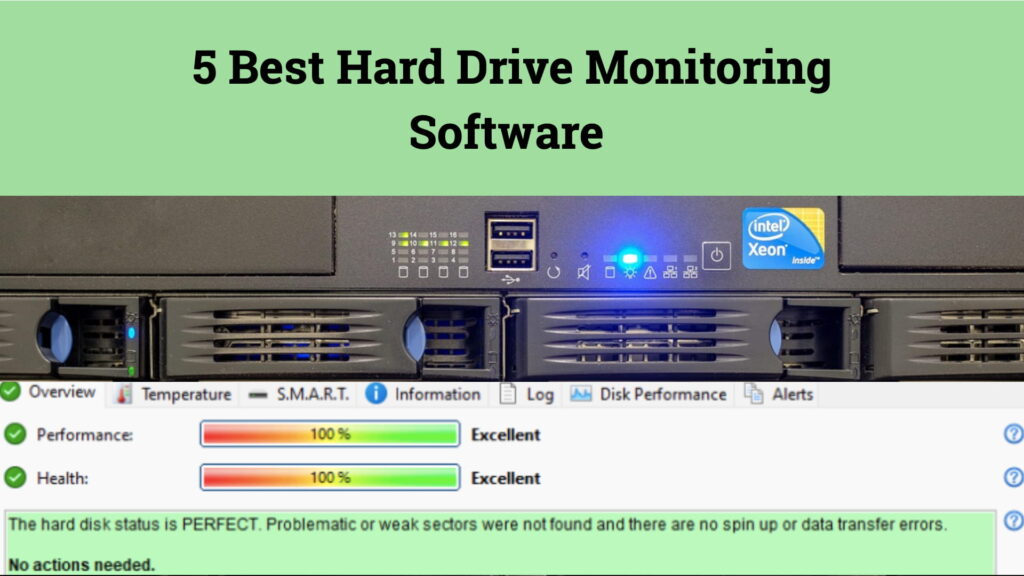
Hard drive health monitoring software is essential for detecting early signs of failure in hard drives and SSDs. Often, users overlook warning signs such as increasing bad sectors, rising temperatures, S.M.A.R.T. errors, or declining performance, which can lead to data loss. A dedicated HDD monitoring tool continuously tracks drive health, alerts users to potential failures, and helps prevent unexpected downtime.
In this article, we’ve compared five of the best hard disk health monitoring tools available in 2026. We evaluated them based on their monitoring capabilities, supported storage devices, alert systems, diagnostics, and overall usability to help you select the right solution.
Top 5 Best Hard Drive Monitoring Software of 2026
| S. No | Software | Price | Drive Support | Best For |
| 1 | Hard Disk Sentinel | ~$35 (Pro) / Free Trial | HDD, SSD, NVMe, USB, NAS, RAID | Complete disk health monitoring |
| 2. | Samsung Magician | Free | Samsung SSDs | Samsung SSD management |
| 3. | HDDScan | Free | HDD, SSD, USB, SCSI | Drive diagnostics |
| 4. | HD Tune | Free / Pro | HDD & SSD | Performance benchmarking |
| 5. | CPUID – HW Monitor | Free / Pro | System hardware sensors | Temperature monitoring |
1. Hard Disk Sentinel – Best Overall Hard Disk Health Monitoring Software
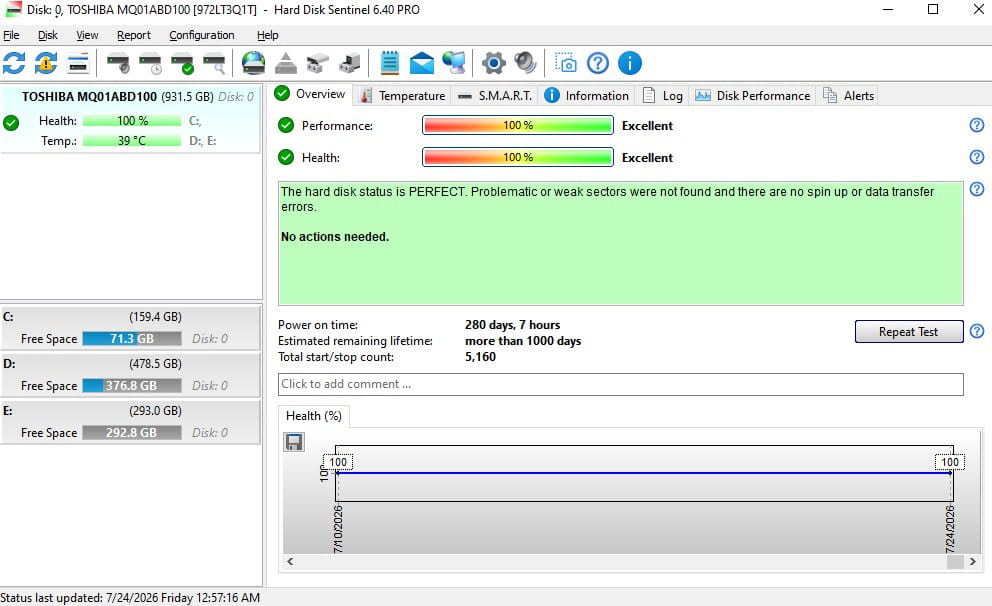
Hard Disk Sentinel is the only paid software in this comparison (with a free trial), but it still ranks first because of its comprehensive disk health monitoring capabilities. Unlike most tools that only display S.M.A.R.T. values, it continuously monitors storage devices, analyzes health trends, and detects early signs of drive degradation before they become critical.
Pros
- One of its biggest advantages is predictive monitoring that allows users to identify potential failures much earlier.
- The software supports almost every commonly used storage device that makes it suitable for both personal systems and complex storage environments where multiple drive types need to be monitored from a single dashboard.
- Hard Disk Sentinel includes built-in surface tests, performance tests, temperature monitoring, health reports, and automated alerts.
- The Professional edition also supports automatic backups and script execution whenever predefined health conditions are met, helping users secure important data before a drive fails.
Cons
- The interface prioritizes functionality over design and may appear outdated compared to newer software.
- It is available for Windows and Linux, but there is no native macOS version.
→ Use the code TECHPCVIPERS25 at checkout for 25% off on the official site.
2. Samsung Magician – Best for Samsung SSDs
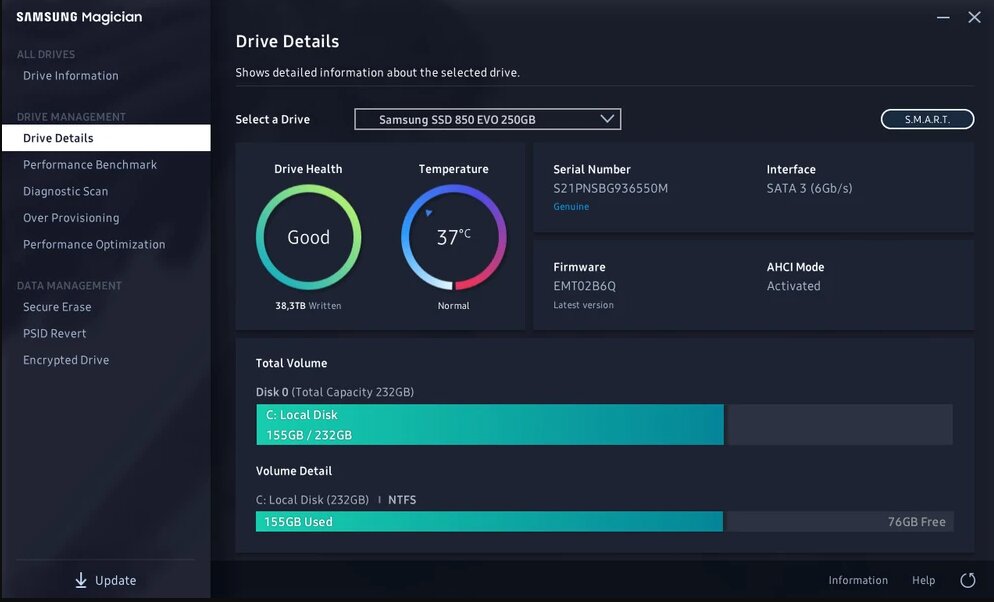
Samsung Magician is a free utility developed exclusively for Samsung SSDs. It combines SSD health check software, firmware management, performance optimization, and diagnostic tools in a single application, making it the best choice for users within the Samsung ecosystem.
Pros
- Provides detailed SSD health information, including S.M.A.R.T. data, drive temperature, firmware status, and Total Bytes Written (TBW).
- Includes firmware updates, performance benchmarking, Secure Erase, PSID Revert, and data migration tools.
- Supports over-provisioning and performance optimization to improve SSD lifespan and performance.
- Official software with regular updates and an easy-to-use interface.
Cons
- Compatible only with Samsung SSDs.
- Lacks continuous background monitoring and automated health alerts.
3. HDDScan – Best Free Hard Drive Diagnostic Tool
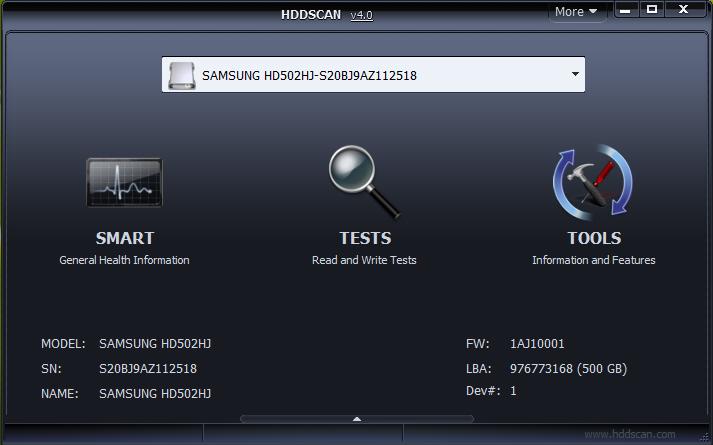
HDDScan is a free and portable hard drive diagnostic tool designed for users who need detailed drive testing and diagnostics without installing additional software. It focuses on manual diagnostics rather than continuous monitoring.
Pros
- Supports HDDs, SSDs, RAID arrays, USB storage devices, and SCSI drives.
- Reads S.M.A.R.T. attributes and performs multiple surface tests to detect bad sectors and drive errors.
- Portable software that requires no installation.
- Allows multiple diagnostic tests to run simultaneously.
Cons
- No background monitoring or automated alerts.
- Doesn’t provide long-term drive health analysis or backup features.
4. HD Tune – Best for Performance Benchmarking
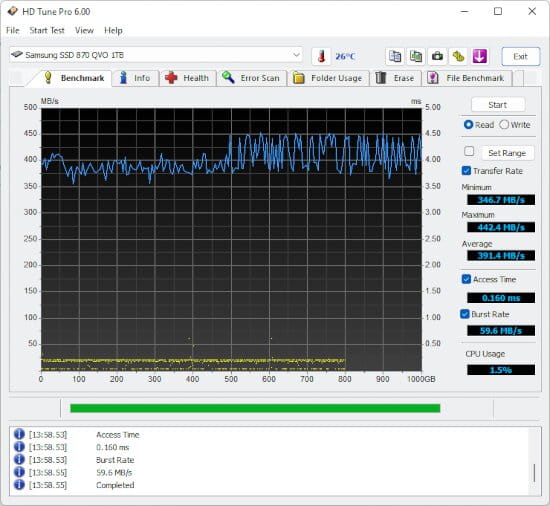
HD Tune is best known for its storage benchmarking capabilities. Along with performance testing, it offers basic health monitoring and diagnostic features, making it a useful tool for evaluating drive condition and speed.
Pros
- Provides reliable performance benchmarks, including read speed, access time, and burst rate.
- Includes S.M.A.R.T. monitoring and error scanning to identify drive issues.
- The Pro version adds secure erase, write benchmarks, and file-benchmarking features.
- Useful for comparing storage performance across multiple drives.
Cons
- No continuous disk health monitoring or predictive failure analysis.
- Lacks automated alerts and background monitoring.
5. HWMonitor – Best for Temperature Monitoring
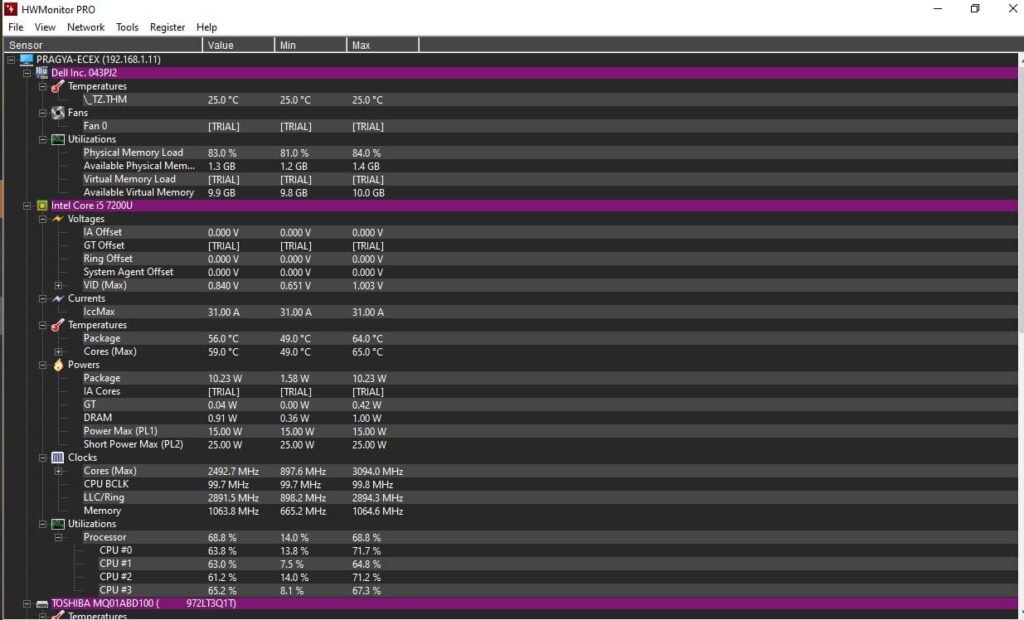
HWMonitor is a hardware monitoring utility that tracks temperatures, voltages, fan speeds, and power consumption across the system. While it is not a dedicated HDD monitoring tool, it provides valuable insights into drive temperatures alongside other hardware components.
Pros
- Monitors temperatures for HDDs, SSDs, CPU, GPU, and motherboard components from a single dashboard.
- Displays current, minimum, and maximum sensor values.
- Lightweight and suitable for continuous hardware monitoring.
- Available in both free and Pro versions.
Cons
- Doesn’t analyze S.M.A.R.T. attributes or predict drive failures.
- Lacks storage diagnostics, health reports, and automated alerts.
Which Hard Drive Monitoring Software Should You Choose?
Each tool in this comparison serves a different purpose, so the right choice depends on your requirements.
If your priority is continuous disk health monitoring, early failure detection, automated alerts, and support for multiple storage devices, Hard Disk Sentinel offers the most comprehensive solution. It combines predictive health analysis, extensive drive compatibility, and proactive monitoring, making it suitable for both personal and professional use.
If you exclusively use Samsung SSDs, Samsung Magician provides excellent first-party drive management, firmware updates, and SSD health check software capabilities.
For users who occasionally need to test or diagnose storage devices, HDDScan and HD Tune remain reliable hard drive diagnostic tool options. While they don’t provide continuous monitoring, they are effective for running manual health checks, benchmarking, and identifying drive issues when required.
If your focus is system temperatures rather than storage diagnostics, HWMonitor is a useful companion application that provides complete hardware monitoring, including drive temperature tracking.
Final Thoughts
Storage devices continue to generate valuable health data long before a failure occurs. The right monitoring software helps convert that information into actionable insights, allowing users to detect problems early, schedule maintenance, and protect critical data before unexpected failures happen.
While every tool reviewed here has its strengths, the decision ultimately depends on how you use your system. If you need occasional diagnostics, a hard drive diagnostic tool may be sufficient. However, for users who want continuous monitoring, predictive health analysis, and timely alerts, investing in dedicated hard disk health monitoring software provides a more reliable approach to protecting valuable data over the long term.

