Last updated on May 18, 2026 at 08:58 pm
Reels and short-form video content (Instagram Reels and YouTube Shorts) are dominating the digital landscape in 2026. Thanks to AI-powered solutions, OpusClip (AI Video Clipping Tool) now transforms long-form videos into viral clips, cutting video-editing time from hours to minutes.
Repurpose content faster and stay consistent across all social platforms, such as TikTok, Instagram Reel, and YouTube Shorts, in one click without burning out.
OpusClip Features:-
1.) AI Clip Generator – Clip Anything
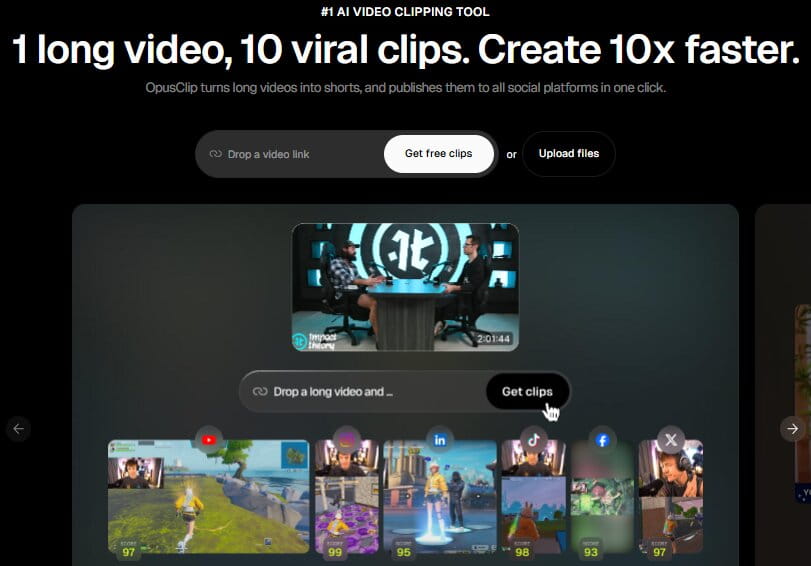
Use prompts to find a specific moment & OpusClip AI algorithm scans conversations, reactions, and trending topics to help you turn the long-form videos into a viral clip suitable for platforms like TikTok, YouTube Shorts, and Instagram Reels. You can even clip non-talking videos.
2.) Free AI B-Roll Generator – Add B-Roll in One Click (Increase video engagement)
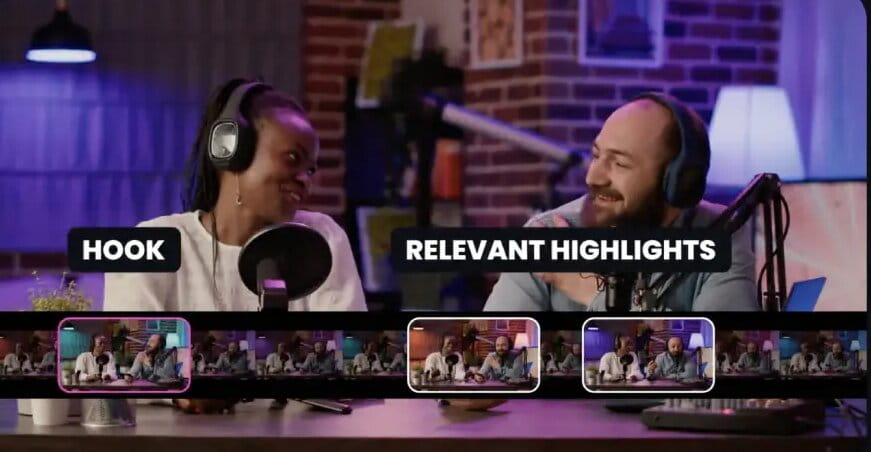
The secret formula to hook viewers in the first 3 seconds is by adding B-roll to your videos and polishing them for social media. Use eye-catching visuals that immediately capture attention, build emotion, and drive conversions.
3.) AI Video Editor and Thumbnail Generator
Create and edit videos using AI video editing software (No special skills required). The software finds viral moments, adds captions, and optimizes clips for every platform. Create eye-catching YouTube thumbnails, no expertise needed – Simply upload and go.
4.) Animate Captions and Brand Template
Automatically add dynamic captions or subtitles to your videos in seconds that grab users’ attention and increase watch time. Maintain brand consistency across all content by using templates with a unified color palette, typography, and imagery across all designs.
5.) Reframe Videos with AI
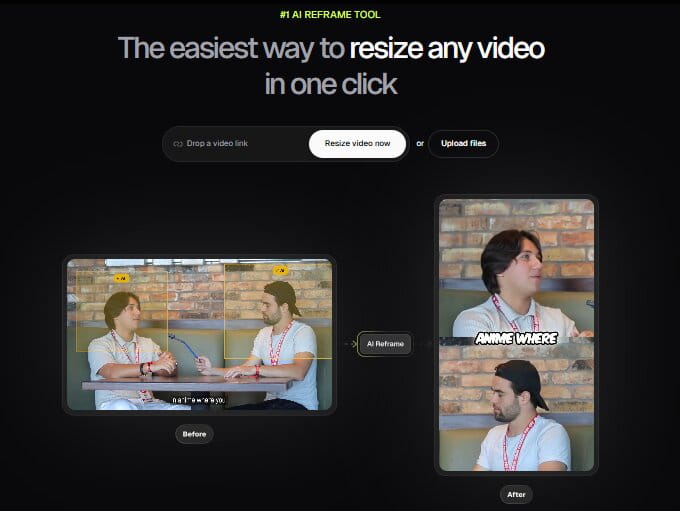
Reframe any video content into a 9:16 vertical format. Useful feature for interviews, podcasts, and talking-head content.
6.) Social Media Scheduling
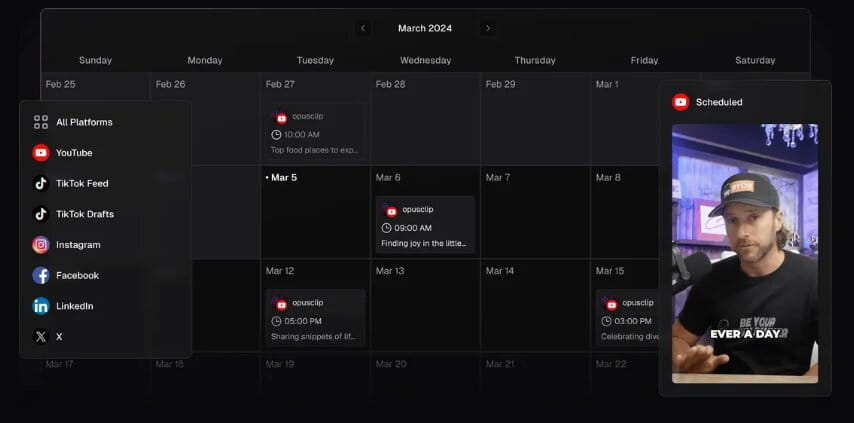
Plan, create, and publish content across multiple social media platforms from a single dashboard.
How OpusClip Works?
Repurpose your long footage videos into short clips (AI auto-cuts, adds captions & picks viral moments) and optimize them for social platforms using OpuClip AI video clipping tool.
Step 1:– Upload a file or paste a link (YouTube, Zoom, Google Drive, etc.) into the Opusclip dashboard
Step 2:- AI Curation process – OpusClip analyzes the video content, scanning for “viral potential,” emotional peaks, and natural scene boundaries.
Step 3:– Enhance your short clips to make them look vibrant and retro using features such as adjusting captions, modifying clip length, changing layouts, adding branding, and subtitles
Step 4:- Download the processed clip and publish it on social media
GET OPUSCLIP
What Is an AI Virality Score in AI Clipper Tools?
An AI Virality score is a predictive analysis done by AI Clipping tools to know which clips will perform better before you post on social media platform using Artificial Intelligence.
The higher the score, the more likely the chances for the clip to go viral. Useful for creators publishing shorts, reels regularly on TikTok, Instagram, and YouTube.
Example of AI Virality Scoring
Suppose you upload a 60-minute webinar
The AI clipper may generate:
- 10 short clips
Each clip could receive scores like:
| Clip | Virality Score |
| “Work with us if you are a creator” | 90/100 |
| “Webinar Introduction” | 45/100 |
| “Side hustles to make money online” | 94/100 |
| “Giveaways” | 74/100 |
The clip “Side hustles to make money online” is a clear winner here.
Opus Clip Pricing
OpusClip is currently offering free, starter, pro, and business plans. Pricing varies by plans:-
→ Free plan – Free forever with 60 credits per month
→ Starter Plan – For individual creators
→ Pro Plan – For professional creators, marketers, & teams
→ Business Plan – For organizations that need tailored solutions, API, and more
| Starter $15 USD/mo | Pro $19.43 USD/mo | Business |
| 150 credits per month | 3,600 credits per year, available instantly | Everything in the Pro plan, plus: |
| AI clipping with Virality Score | Team workspace with 2 seats | Priority project processing |
| AI animated captions in 20+ languages | 2 brand templates | Customized credits, team seats and social account connections |
| Auto post to YouTube Shorts, TikTok, IG Reels, or download | 6 social account connections | Tailored business assets: brand templates, fonts, vocabulary & more |
| Powerful editor | Everything in Starter plan, plus: | Dedicated storage |
| 1 brand template | AI B-roll | API & custom integrations |
| Filler & silence removal | Input from 10+ sources | Master Service Agreement (MSA) |
| Remove Watermark | Export to Adobe Premiere Pro & DaVinci Resolve | Priority support with a dedicated Slack channel |
| Multiple aspect ratios (9:16, 1:1, 16:9) | Enterprise-level security | |
| Social media scheduler | ||
| Intercom chat support | ||
| Custom fonts & Speech enhancement | ||
Who should use Opusclip?
- Video Content Creators and YouTubers
- Podcasters
- Marketers and Agencies for clients and viral campaigns
- Influencers & Social Media Managers
- Course Creators
- Affiliater Marketers
Time to relax and watch your numbers skyrocket!
Pros and Cons of using OpusClip
Pros:–
✅ OpusClips Interface – Easy to use for beginners. With no editing experience, you can create viral clips using the drag-and-drop feature and edit the video with the help of AI.
✅ AI saving hours and money – Convert the long-form videos into short clips in minutes
✅ Get an AI-powered virality score for every clip you post and predict your videos success
✅ Schedule and publish the clips directly to multiple platforms – TikTok, Instagram, YouTube, and LinkedIn
Cons:-
❌ Cancelling the subscription is not easy due to the poor customer support process
❌ Credits are expensive, deducted from your plan based on the input video length
❌ Free plan comes with certain limitations – Watermark appears, no video editing, only 60 credits per month, and AI predictions are not 100% accurate; you have to manually correct the context and missing nuance from the conversations
Refer and Earn | Join Opusclip Affiliate Program
Creators are sharing the Opusclip reviews and earning money as an Opusclip affiliate partner. There’s no minimum sales requirement to join the program; just enter the basic information and sign up. Once approved, get a unique tracking link and earn 25% commission for each new subscriber you refer through the first year.
Please note that you need to earn at least 20 USD in commission to receive your payout. The Opusclip team will pay you on the 15th of each month.
Opusclip Creators are saying
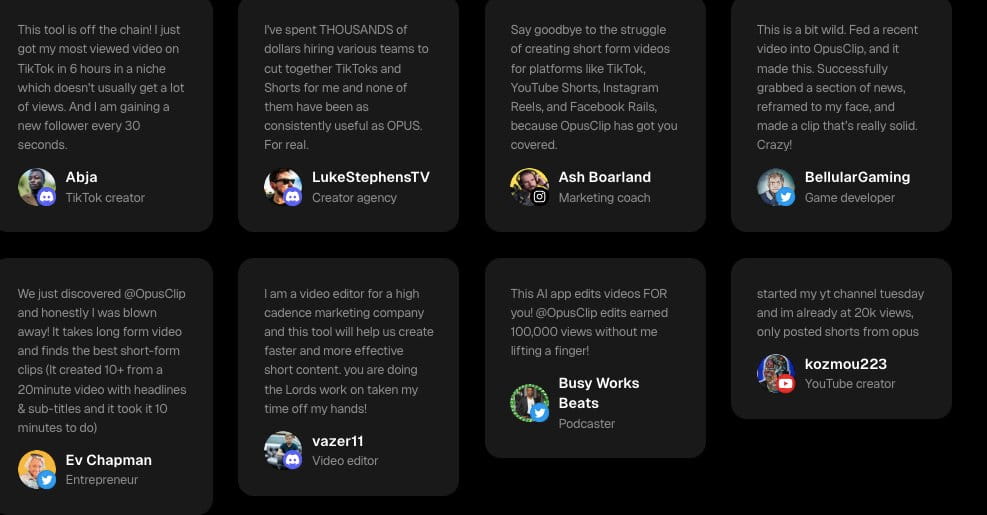
Final Verdict: Is OpusClip Worth It?
Yes, it saves time, but when it comes to editing videos, it won’t fully replace humans.
Scaling your social media content without stretching the team is absolutely possible in 2026 using Opusclip – One of the easiest AI creator tools to plug into the workflow.
If your strategy involves turning podcasts, interviews, webinars, or YouTube videos into viral-ready short clips, Opusclip is worth trying.
Final Rating
- Ease of Use: ⭐⭐⭐⭐⭐
- AI Clip Quality: ⭐⭐⭐⭐☆
- Caption Quality: ⭐⭐⭐⭐⭐
- Customer Support: ⭐⭐⭐☆☆
- Value for Money: ⭐⭐⭐⭐☆
Overall Score:- 4.3/5
→ Meet creators and brands at Social Media Conferences in 2026.